

Category: Power Apps
-
Guidelines to Improve Canvas Applications
PowerFx is a low-code programming language used in Microsoft Power Apps to build canvas applications. PowerFx formulas can become complex, making the application slow, affecting its performance. Here are some changes you can make in PowerFx canvas formulas to improve performance. In summary, improving the performance of a canvas application requires optimizing PowerFx formulas to…
-
Power Platform Learning Resources
Microsoft Power Platform is a suite of low-code and no-code tools that enable businesses to build custom applications, automate workflows, and analyze data. If you are looking to learn Power Platform, there are several resources available that cater to different learning styles and levels of expertise. Here are some of the best learning resources for…
-
How to understand Power Platform Licensing
Power Platform licensing can be a complex topic to understand, but it’s an important one to get right in order to ensure that your organization has access to the right features and capabilities. Here’s a more detailed overview of Power Platform licensing and how to understand it. The Power Platform is a suite of tools…
-
Why Power Platform is better than other low-code platforms
The Power Platform is a low-code platform developed by Microsoft that allows users to create custom business applications, workflows, and dashboards without the need for extensive coding knowledge. It is comprised of several products, including Power Apps, Power BI, Power Automate, and Power Virtual Agents. In this article, we will explore why the Power Platform…
-
Key Known Issues with Power Platform
While the Power Platform is a powerful and widely-used tool for building custom applications and workflows, there are a few known issues that users should be aware of. Here are some of the most common issues: Performance Issues: Depending on the complexity of the app or workflow, some users may experience performance issues, such as…
-
Top 10 PowerFx Formulas Used in Canvas Applications
Here are the PowerFx formulas commonly used by Canvas application developers: These are just a few of the many PowerFx formulas available, but they are some of the most commonly used and versatile ones. For complete details about PowerFx, visit Microsoft documentation at https://learn.microsoft.com/en-us/power-platform/power-fx/formula-reference
-
Power Apps & SVG Image : Build Interactive US States Map
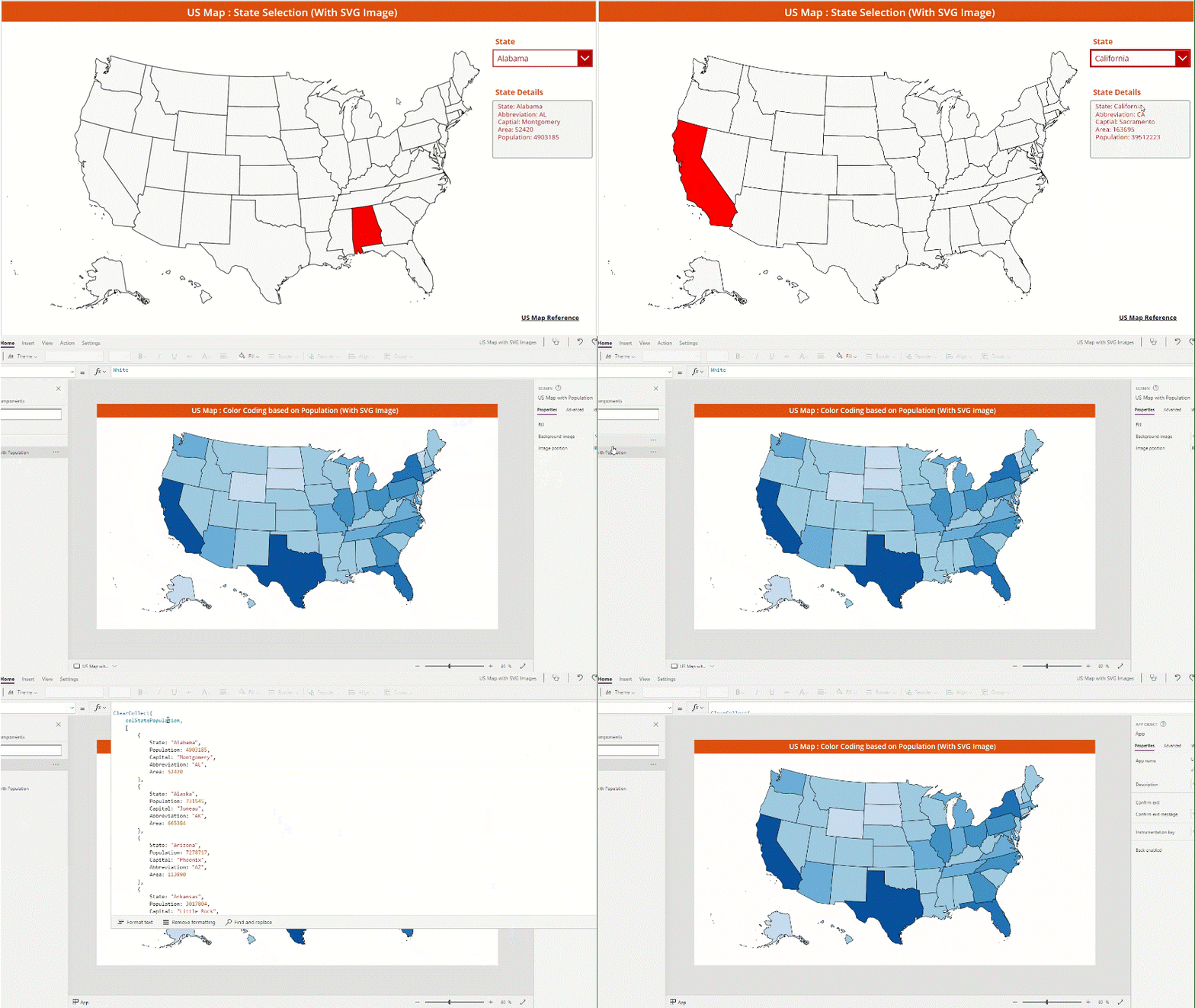
If you did not read about SVG Images, check my other post Click here. To learn the basics of SVG image creation, check W3Schools tutorial. Now, in this post, we will see how to create an interactive US States Map by using SVG image. I would like to build the following screen in the Power…
-
Difference of SVG Images VS normal images in Power Apps

SVG stands for Scalable Vector Graphics. SVG is an XML-based vector image format for two dimensional graphics with support for interactivity and animation. As SVG images are xml-based, we can scale them in size without loss of quality. SVG files can be searched, indexed, scripted and compressed. The SVG xml files can be created and…
-
SQL Server Connector : Throttling Limits

Service Environment Operations Name Calls Renewal Period Power Apps Shared Environment All API calls per user 300 30 Power Apps Shared Environment All Concurrent calls per connection 125 – Logic Apps & Power Automate Shared Environment Native API calls per connection 500 10 Logic Apps & Power Automate Shared Environment CRUD API calls per connection…
-
All About SQL Connector Limitations
Power Platform talks to various data sources by using the connectors. Some connectors are standard and some are premium. Before using any connector, I highly recommend to review Microsoft’s Connector documentation to understand the latest updates with respect to the actions and triggers provided with the connections. Also, it is very important to understand the…
-
AI Builder Licensing
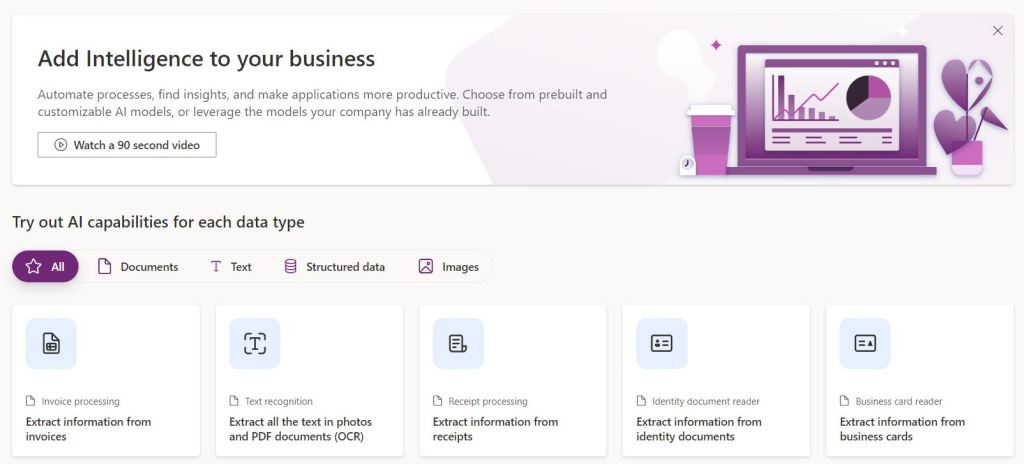
AI Builder is an add-on to Power Apps, Power Automate and Dynamics 365 License. NOTE: You can try AI Builder for free with trial after you have Power Apps, Power Automate or Dynamics 365 license. How to acquire and assign AI Builder License AI Builder license comes with buying AI Builder capacity. Once enough capacity…
-
Power App : AI Builder Architecture
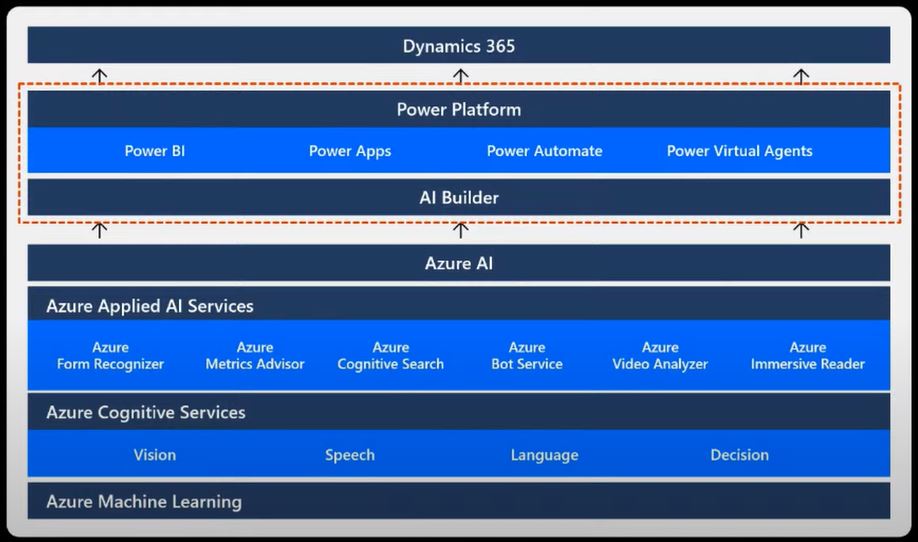
If we see the history of AI, the Artificial Intelligence (AI) word was found back in 1956. Since then, so much of research was done to make it real. Few years back, AI was limited to universities and huge research centers. As the technology evolving rapidly, AI started involving in our daily life. We are…
-
Power Apps Disambiguation Operator @
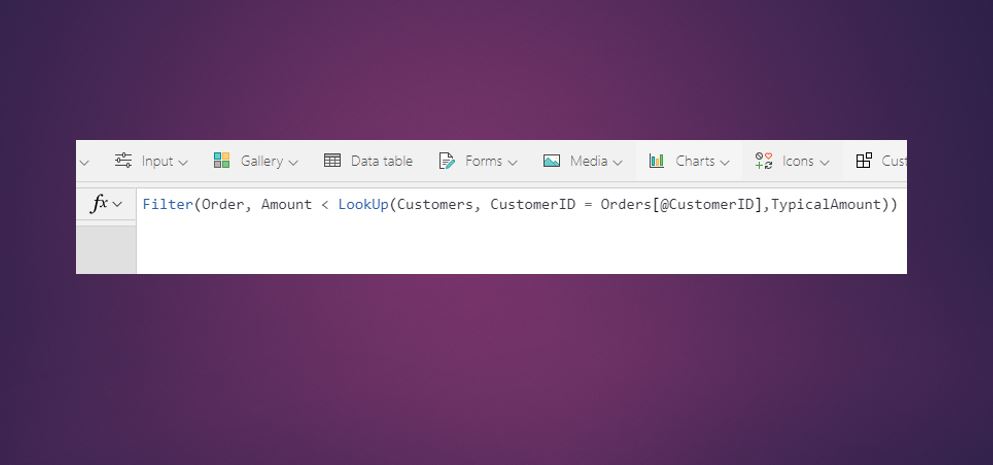
While building Power Apps, sometimes we come across some Field names which are part of the data source and also same name used for a control or a new column added with AddColumns() function or a column within your collections, then Power Apps needs to identify which column we are actually referring to within you…
